
Claims & repair progress
Keep customers, insurers, estimates, documents and repair progress connected to the same case.
Turn insurance estimates and CCC-generated PDFs into professional ADAS reports, with automatic ALLDATA research and traceable calibration pricing your technicians can verify. Keep the report, repairs and invoice in one Bodyshop workflow.
Less research and re-entry. More time to review the work, support the estimate and move the repair forward.
Upload a CCC-generated or insurer PDF. AutoOps360 reads the repair lines and connects them to the vehicle in your case.
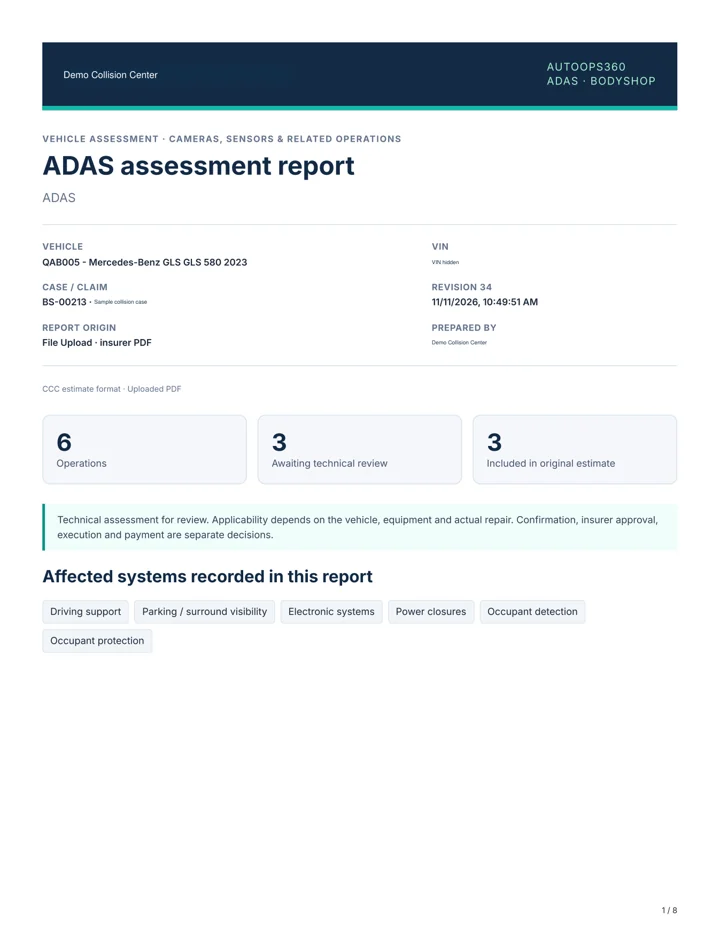
Get an ADAS report with proposed calibrations, scans and related operations, informed by the estimate and VIN-powered vehicle data.
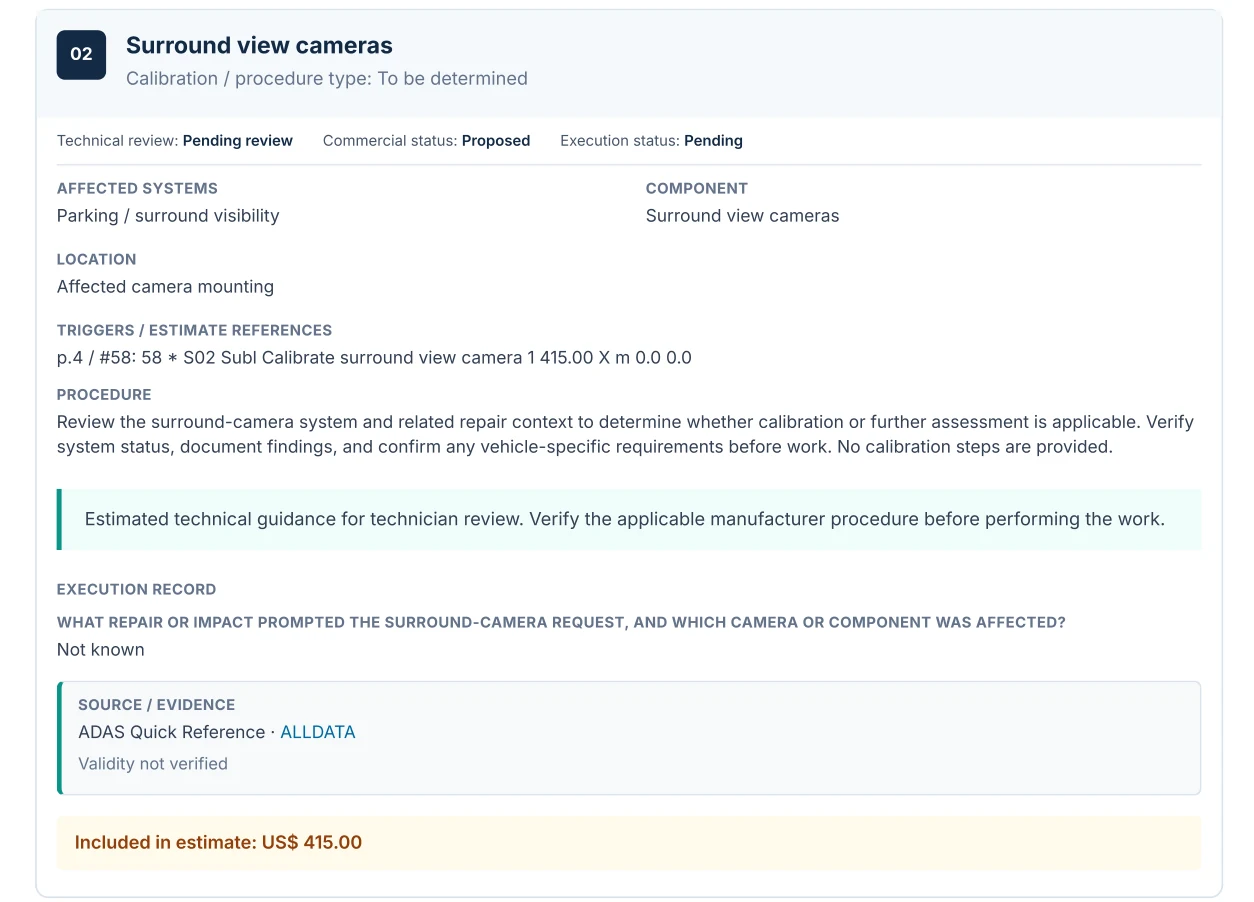
Bring applicable ALLDATA references and available pricing into the report automatically. Your technician verifies and adjusts the proposed work.
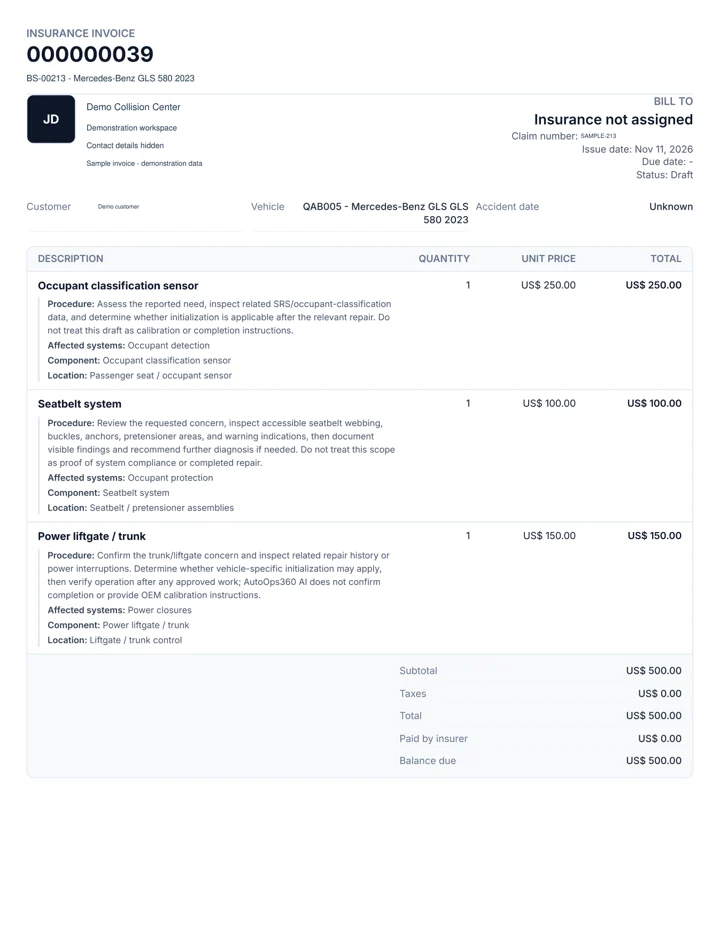
Move reviewed operations into a supplement or editable invoice, alongside your other Bodyshop charges.
Put vehicle data to work before the technician starts. Existing records and VIN decoding give the report a stronger starting point.
See the detail behind a report and its invoice. Actual AutoOps360 output from a local demo case, with identifying data hidden.
Present the affected system, repair evidence, procedure scope, technical review state and source references together.
Anonymized English-language samples. AutoOps360 also creates documents in Spanish.
Demonstration output for product review. These documents do not certify completed calibration or replace applicable manufacturer procedures.
Keep customers, insurers, estimates, documents and repair progress connected to the same case.
Combine selected ADAS work with estimates, charges or rental items in one invoice, with clear origins and duplicate-billing controls.
Keep the same case and ADAS workflow within reach on web, iOS and Android.
Yes. Upload the PDF generated in CCC. AutoOps360 reads the estimate and creates your own ADAS report, ready for technician review inside the Bodyshop case.
Yes. Upload supported insurance estimate PDFs and generate an ADAS report from their repair lines. File quality and layout can affect extraction; unclear or scanned documents may need additional review.
AutoOps360 uses applicable ALLDATA pricing when recovered, including labor references. If a price is missing, enabled AutoOps360 AI can suggest an estimate. The source stays visible and your technician can verify or edit the amount.
Yes. Create a report manually or refine an imported one. Your technicians can add, edit or remove operations and adjust prices before moving reviewed work into billing.
Explore how your team can move from a CCC-generated or insurer PDF to a reviewed ADAS report, supplement and invoice.